This is my Panorama assignment:
Other raw photos:
PHOTO #1-
PHOTO #2-
Cylindrical Panorama
This panorama gives the effect of a wide angle lens. The center of the picture bulges out a little bit.
Collage Panorama
This panorama puts the pictures side by side and matches the sides that are the same in the two pictures. The ends are slightly angled to match the same side of the other picture, almost like a puzzle piece.
Spherical Panorama
This panorama puts both pictures together in a way where the main focus point/structure looks normal but it's surroundings are adjusted to a curve.
*My trials were not successful, Photoshop Elements wouldn't count my 3rd picture because it did not match up with the first 2*
Jr' High Playground Panorama
For this Panorama, I used the reception effect on Photoshop Elements 12. I like this one the best out of the three because I like how the play structure is there with the snow on the ground and the trees combining with the sky. It looks like its filtered but its not. The sky at the time I took this picture was pretty good and it added contrast to the picture. But what's disappointing is that, only two pictures worked when it was merged and I didn't like how the other Panorama categories merge the pictures. Only the reception effect worked for me.
Pictures I used to create this Panorama :
Dominion/Downing Street Panorama
For this Panorama I used the Spherical effect and It came out well when I filled in the sides it didn't have any imperfections. I just don't like how it looked tilted and the road kind of ruined the picture.
Pictures I used to create this Panorama :
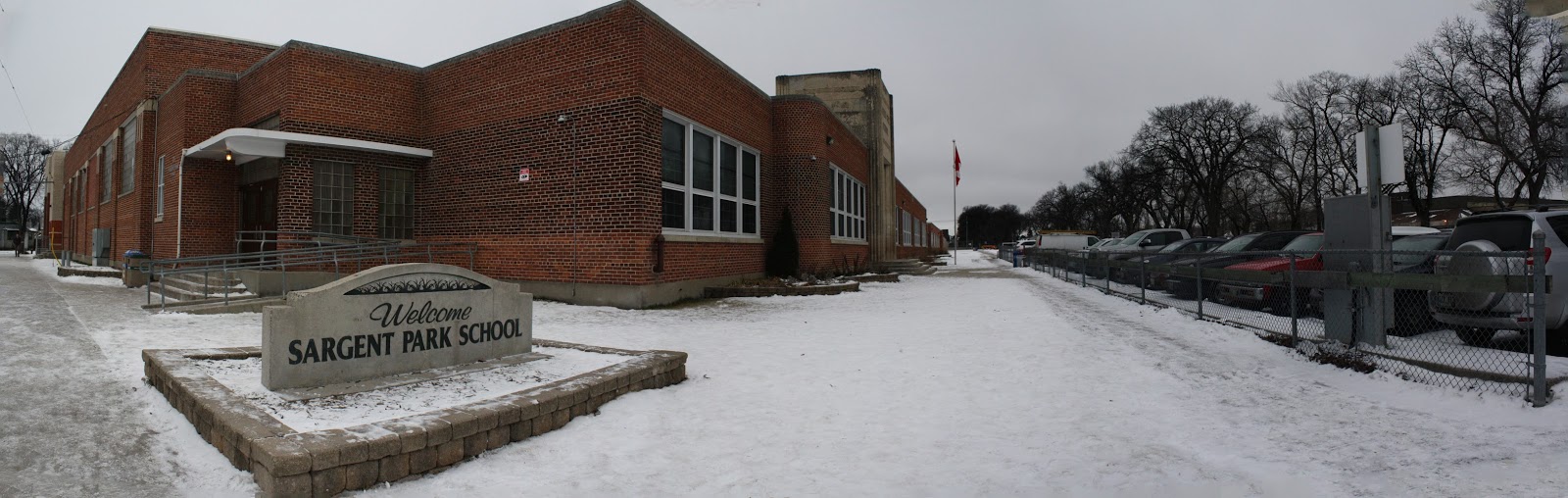
Sargent Park Panorama
(CYLINDRICAL)
(AUTO)
(SPHERICAL)
For this Panorama, I used three panorama categories. Cylindrical, Auto and Spherical. I don't think it made a lot of difference changing the effect. The only thing I think changed is the direction of the picture as you can see above, the spherical effect look much different than the auto and cylindrical one. The Sargent Park rock and the building look farther even though I cropped it to hide the bad stuff when it was filled in. While the auto effect looks like a normal panorama that you can do with your phone, it's lined up and the cylindrical one I don't really know how to explain it. It looks like it bulged up or it's like a spherical and auto effect combined. By the way I filled in all of it and it looks okay. I just had to crop the last one but just a little bit to remove the imperfections.
Pictures I used to create this Panorama :