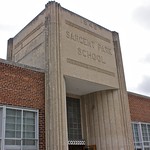
Here are the photo's I used to make these Panorama's:
In these's three panoramas, I used the same three photo's to make three different panoramas. In my first panorama, I chose the auto option for the layout and cropped the photo to make it better. In my second panorama, I chose the spherical option for the layout and this time I did not crop it. In my third panorama, I chose the perspective option for the layout and this time I also did not crop it. To make these photo's I used a tripod and a camera, I turned the tripod slowly each time and captured three or four photos, then I went into Photoshop Elements and clicked the panorama option to create these panoramas.
This is my final product of my Photomerge Scene Cleaner.
As you see above in my final product, I had to merged 4 photos together to make a scene cleaner. To make this photo I used Photoshop Elements. In this photo, I was trying to show/ tell a story. The story I was trying to portray in this photo, was to how a student/ or teacher takes to picking the right book to read. It takes a large or little amount of time to choose the book that fits your taste. To make this photo merge I used a tripod and take 4 different photos and put them all into one using Photoshop Elements.
Here are three photo's I used to make the final product: